


Find your starting point
These are connection paths, not a promise that every sensor value will transfer. Check the connection screen in your Vora app for current availability and permissions.
| Wearable | Vora on iPhone | Vora on Android | What to know |
|---|---|---|---|
| Apple Watch | Apple Health | Use an iPhone for Apple Watch | Share supported workout, sleep and heart records through Apple Health. |
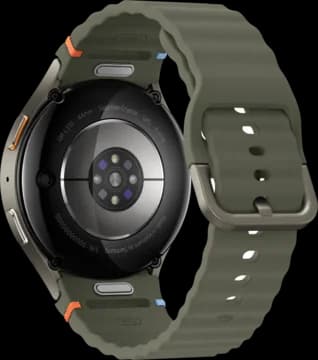
| Samsung Galaxy Watch | Use the Android setup guide | Samsung Health through Health Connect; Samsung connection where available | Health Connect and the Samsung connection have different permissions and data. Do not assume an Energy Score or HRV transfers through Health Connect. |
| Oura Ring | Direct Oura connection or Apple Health | Direct Oura connection or Health Connect | The direct route adds HRV and temperature detail that the phone health hub may not share. The Oura Readiness score does not come through. |
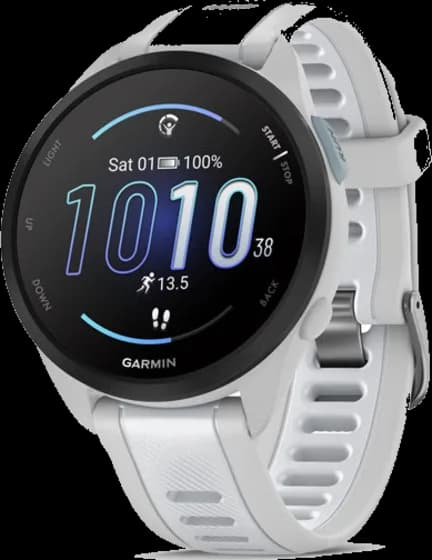
| Garmin | Direct Garmin connection or Apple Health | Direct Garmin connection or Health Connect | Sync Garmin Connect first. Available records and history differ by route. Do not assume every Garmin score transfers. |
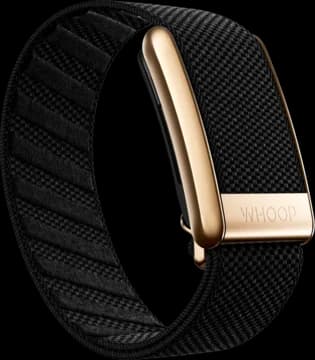
| WHOOP | Direct WHOOP beta or Apple Health | Direct WHOOP beta or Health Connect | The free direct connection has limited beta spots. It adds HRV, sleep stages and workout strain, but not the WHOOP recovery score or day strain. Phone health sharing is a different route. |
| Fitbit / Pixel Watch | Direct Fitbit connection | Direct Fitbit connection or Health Connect | Connect the Fitbit account that holds your records. Pixel Watch setup uses an Android phone. |
Which metrics sync, device by device
Each device below shows whether a metric reaches Apple Health on iPhone, Health Connect on Android, or Vora through a direct connection. We start from Vora’s own connection records, which describe what each device actually writes, then add the maker’s documentation. When a maker documents a metric that Vora’s records do not show, the cell says Maker lists it.
iPhone and Android can differ for the same device. Eight Sleep sends HRV and resting heart rate to Health Connect but not to Apple Health, Polar documents sleep stages and VO2 max only in its Health Connect export, and Xiaomi sleep arrives with stages on Android but only as time in bed on iPhone.
Checked September 14, 2026. 21 devices and device families, 14 metrics, three routes.
- YesVora’s records show it arriving this way.
- PartlyIt arrives with a limit, explained in the note.
- Maker lists itThe maker documents it, but Vora’s records do not show it yet.
- Not seenNeither Vora’s records nor the maker pages we checked show it.
- NoNot shared this way, per Vora’s records or the maker’s own list.
- No routeThis route does not exist for the device.
| Device | HRV | Sleep stages | ||||
|---|---|---|---|---|---|---|
| Apple Health | Health Connect | Vora direct | Apple Health | Health Connect | Vora direct | |
| Apple Watch | Yes | No route | No route | Yes | No route | No route |
| Oura Ring | No | Maker lists it | Yes | Yes | Yes | Yes |
| WHOOP | No | No | Yes | No | No | Yes |
| Garmin watches, CIRQA and Index scales | Yes | Yes | Yes | Partly | Partly | Yes |
| Fitbit, Fitbit Air and Pixel Watch | No | Maker lists it | Yes | Maker lists it | Yes | Yes |
| Samsung Galaxy Watch and Galaxy Ring | No route | No | No | No route | Yes | No |
| Withings ScanWatch, scales and Sleep Analyzer | Not seen | Not seen | No route | Not seen | Not seen | No route |
| Amazfit watches and Helio Ring | Maker lists it | Not seen | No route | Not seen | Not seen | No route |
| Polar watches | No | No | No route | No | Maker lists it | No route |
| COROS watches | Not seen | Not seen | No route | Not seen | Not seen | No route |
| Suunto watches | No | No | No route | No | No | No route |
| Ultrahuman Ring | Yes | Yes | No route | Not seen | Not seen | No route |
| RingConn | Not seen | Not seen | No route | Not seen | Not seen | No route |
| Eight Sleep Pod | No | Yes | No route | Yes | Yes | No route |
| Huawei watches and bands | Not seen | Not seen | No route | Yes | Not seen | No route |
| Xiaomi bands and watches | Not seen | Not seen | No route | No | Yes | No route |
Apple Watch
Companion app: Health app on iPhone.
- Apple Health (iPhone): Yes Built in: Apple Watch records straight into the Health app.
- Health Connect (Android): No route Apple Watch works only with iPhone.
- Vora direct connection: No route On iPhone, Vora reads Apple Watch data from Apple Health.
| Metric | Apple Health (iPhone) | Health Connect (Android) | Vora direct connection |
|---|---|---|---|
| Steps | Yes | No route | No route |
| Workouts | Yes | No route | No route |
| Heart rate | Yes | No route | No route |
| Resting heart rate | Yes | No route | No route |
| HRV | Yes | No route | No route |
| Sleep duration | Yes | No route | No route |
| Sleep stages | Yes | No route | No route |
| Blood oxygen (SpO2) | PartlyBlood Oxygen app on Series 6 or later and Ultra, not SE. | No route | No route |
| Respiratory rate | Yes | No route | No route |
| Skin or wrist temperature | PartlyWrist temperature during sleep, on models with the sensor. | No route | No route |
| VO2 max | YesCardio Fitness estimate. | No route | No route |
| Readiness or recovery score | Not seenApple announced a readiness score for Series 12 and Ultra 4 on September 9, 2026, without saying whether other apps can read it. | No route | No route |
Sources: Vora's iOS and Android connection records, Apple Support: Blood Oxygen app, Apple Newsroom, September 9, 2026, Apple HealthKit data types.
Oura Ring
Companion app: Oura. Oura documents HRV in its Health Connect export but not in its Apple Health export.
- Apple Health (iPhone): Yes
- Health Connect (Android): Yes
- Vora direct connection: Yes Free on iPhone and Android. Adds HRV and temperature deviation, not the Readiness score. Connection details
| Metric | Apple Health (iPhone) | Health Connect (Android) | Vora direct connection |
|---|---|---|---|
| Steps | Yes | Yes | Yes |
| Workouts | Yes | Yes | Yes |
| Heart rate | Yes | Yes | Yes |
| Resting heart rate | YesVora receives it, though Oura’s own export list does not name it. | YesVora receives it, though Oura’s own export list does not name it. | Yes |
| HRV | NoNot in Oura’s Apple Health export. | Maker lists itListed in Oura’s Health Connect export. | Yes |
| Sleep duration | Yes | Yes | Yes |
| Sleep stages | Yes | Yes | Yes |
| Blood oxygen (SpO2) | YesVora receives it, though Oura’s own export list does not name it. | YesVora receives it, though Oura’s own export list does not name it. | Yes |
| Respiratory rate | Yes | YesVora receives it, though Oura’s own export list does not name it. | Yes |
| Skin or wrist temperature | NoNot in Oura’s export list. | NoNot in Oura’s export list. | YesNightly temperature deviation. |
| VO2 max | NoOura reads Cardio Fitness from Apple Health but does not write it. | NoOura reads VO2 max from Health Connect but does not write it. | NoNot imported yet. |
| Readiness or recovery score | NoNeither Apple Health nor Health Connect has a data type for readiness or recovery scores. | NoNeither Apple Health nor Health Connect has a data type for readiness or recovery scores. | NoVora keeps the temperature deviation from Oura’s readiness data, not the Readiness score itself. |
Sources: Vora's iOS and Android connection records, Oura: Apple Health integration, Oura: Health Connect integration, Vora Oura connection.
WHOOP
Companion app: WHOOP. Through the phone on either platform, WHOOP HRV and sleep stages do not come through; the direct connection reads them.
- Apple Health (iPhone): Yes
- Health Connect (Android): Yes
- Vora direct connection: Partly Free, in beta with limited spots, on iPhone and Android. Connection details
| Metric | Apple Health (iPhone) | Health Connect (Android) | Vora direct connection |
|---|---|---|---|
| Steps | Not seen | Not seen | NoNot imported. |
| Workouts | Yes | Not seen | YesWith each workout’s WHOOP strain. Day strain is not imported. |
| Heart rate | Not seen | Not seen | PartlyAverage and maximum heart rate for each workout. |
| Resting heart rate | Not seen | Not seen | Yes |
| HRV | No | No | Yes |
| Sleep duration | Yes | Not seen | Yes |
| Sleep stages | No | No | Yes |
| Blood oxygen (SpO2) | Not seen | Not seen | Yes |
| Respiratory rate | Not seen | Not seen | Yes |
| Skin or wrist temperature | Not seen | Not seen | YesSkin temperature. |
| Weight and body composition | Not seen | Not seen | NoNot imported yet. |
| Readiness or recovery score | NoNeither Apple Health nor Health Connect has a data type for readiness or recovery scores. | NoNeither Apple Health nor Health Connect has a data type for readiness or recovery scores. | NoVora imports the inputs behind WHOOP Recovery (HRV, resting heart rate, SpO2, skin temperature), not the score itself. |
Sources: Vora's iOS and Android connection records, WHOOP developer documentation, Vora WHOOP connection.
Garmin watches, CIRQA and Index scales
Companion app: Garmin Connect.
- Apple Health (iPhone): Partly Syncs only while the Garmin Connect app is running.
- Health Connect (Android): Partly Syncs only while the Garmin Connect app is running.
- Vora direct connection: Yes Free on iPhone and Android, and keeps syncing in the background. Connection details
| Metric | Apple Health (iPhone) | Health Connect (Android) | Vora direct connection |
|---|---|---|---|
| Steps | Yes | Yes | Yes |
| Workouts | Yes | Yes | Yes |
| Heart rate | Yes | Yes | Yes |
| Resting heart rate | Yes | Yes | Yes |
| HRV | Yes | Yes | Yes |
| Sleep duration | Yes | Yes | Yes |
| Sleep stages | PartlyVora’s records flag Garmin stages as limited through this route. | PartlyVora’s records flag Garmin stages as limited through this route. | Yes |
| Blood oxygen (SpO2) | Yes | Yes | YesPulse Ox. |
| Respiratory rate | Yes | Yes | Yes |
| Skin or wrist temperature | Not seen | Not seen | YesSkin temperature. |
| VO2 max | Not seen | Not seen | Yes |
| Weight and body composition | Yes | Yes | Yes |
| Readiness or recovery score | NoNeither Apple Health nor Health Connect has a data type for readiness or recovery scores. | NoNeither Apple Health nor Health Connect has a data type for readiness or recovery scores. | NoVora imports Garmin stress and sleep score, not Training Readiness. |
Sources: Vora's iOS and Android connection records, Vora Garmin connection.
Fitbit, Fitbit Air and Pixel Watch
Companion app: Google Health. On iPhone, HRV and skin temperature are the notable types Google does not write to Apple Health.
- Apple Health (iPhone): Maker lists it Google documents Apple Health sharing in the Google Health app on iOS 16.4 or later. Vora on iPhone connects to Fitbit directly instead. Pixel Watch needs an Android phone.
- Health Connect (Android): Yes
- Vora direct connection: Partly On iPhone and Android; spots for new connections are limited. Connection details
| Metric | Apple Health (iPhone) | Health Connect (Android) | Vora direct connection |
|---|---|---|---|
| Steps | Maker lists it | Yes | Yes |
| Workouts | Maker lists it | Maker lists it | Yes |
| Heart rate | Maker lists it | Yes | Yes |
| Resting heart rate | Maker lists it | Yes | Yes |
| HRV | NoNot among the types Google writes to Apple Health. | Maker lists it | Yes |
| Sleep duration | Maker lists it | Yes | Yes |
| Sleep stages | Maker lists it | Yes | Yes |
| Blood oxygen (SpO2) | Maker lists it | Maker lists it | Yes |
| Respiratory rate | Maker lists it | Maker lists it | Yes |
| Skin or wrist temperature | NoGoogle reads skin temperature from Apple Health but does not write it. | Maker lists it | YesSkin temperature. |
| VO2 max | Maker lists it | Maker lists it | Yes |
| Weight and body composition | Maker lists it | Maker lists it | Yes |
| Readiness or recovery score | NoNeither Apple Health nor Health Connect has a data type for readiness or recovery scores. | NoNeither Apple Health nor Health Connect has a data type for readiness or recovery scores. | NoNot imported. |
Sources: Vora's iOS and Android connection records, Google Health: Apple Health, Google Health: Health Connect, Vora Fitbit connection.
Samsung Galaxy Watch and Galaxy Ring
Companion app: Samsung Health. Samsung Health does not share HRV, resting heart rate or respiratory rate with Health Connect, and Samsung’s data SDK does not include HRV or resting heart rate either.
- Apple Health (iPhone): No route Samsung Health shares nothing with Apple Health, and Samsung lists Galaxy Ring support for Android phones.
- Health Connect (Android): Yes
- Vora direct connection: Partly Samsung Health connection in Vora for Android, where available. It adds body composition, skin temperature and Energy Score. Connection details
| Metric | Apple Health (iPhone) | Health Connect (Android) | Vora direct connection |
|---|---|---|---|
| Steps | No route | Yes | NoComes through Health Connect. |
| Workouts | No route | Yes | NoComes through Health Connect. |
| Heart rate | No route | Yes | NoComes through Health Connect. |
| Resting heart rate | No route | NoSamsung Health does not share it. | NoNot in the Samsung SDK either. |
| HRV | No route | NoSamsung Health does not share it. | NoNot in the Samsung SDK either. |
| Sleep duration | No route | Yes | NoComes through Health Connect. |
| Sleep stages | No route | Yes | NoComes through Health Connect. |
| Blood oxygen (SpO2) | No route | Yes | NoComes through Health Connect. |
| Respiratory rate | No route | NoSamsung Health does not share it. | NoNot imported. |
| Skin or wrist temperature | No route | NoSamsung Health does not share it. | YesSkin temperature. |
| Weight and body composition | No route | NoSamsung Health does not share it. | YesGalaxy Watch body composition. |
| Readiness or recovery score | No route | NoNeither Apple Health nor Health Connect has a data type for readiness or recovery scores. | YesSamsung Energy Score. |
Sources: Vora's iOS and Android connection records, Samsung: Health Connect FAQ, Samsung: Galaxy Ring compatibility, Vora Samsung Health setup.
Withings ScanWatch, scales and Sleep Analyzer
Companion app: Withings.
- Apple Health (iPhone): Partly Does not sync automatically on iPhone. Open the Withings app now and then to push new data.
- Health Connect (Android): Yes
- Vora direct connection: No No direct Withings connection.
| Metric | Apple Health (iPhone) | Health Connect (Android) | Vora direct connection |
|---|---|---|---|
| Steps | Yes | Yes | No route |
| Workouts | Not seen | Not seen | No route |
| Heart rate | Yes | Yes | No route |
| Resting heart rate | Not seen | Not seen | No route |
| HRV | Not seen | Not seen | No route |
| Sleep duration | Yes | Yes | No route |
| Sleep stages | Not seen | Not seen | No route |
| Blood oxygen (SpO2) | Yes | Yes | No route |
| Respiratory rate | Not seen | Not seen | No route |
| Skin or wrist temperature | Not seen | Not seen | No route |
| Weight and body composition | Yes | Yes | No route |
| Readiness or recovery score | NoNeither Apple Health nor Health Connect has a data type for readiness or recovery scores. | NoNeither Apple Health nor Health Connect has a data type for readiness or recovery scores. | No route |
Sources: Vora's iOS and Android connection records.
Amazfit watches and Helio Ring
Companion app: Zepp.
- Apple Health (iPhone): Yes Turn Zepp on from inside the Health app, not the Zepp app.
- Health Connect (Android): Yes
- Vora direct connection: No No direct Amazfit connection.
| Metric | Apple Health (iPhone) | Health Connect (Android) | Vora direct connection |
|---|---|---|---|
| Steps | Yes | Yes | No route |
| Workouts | Yes | Yes | No route |
| Heart rate | Yes | Yes | No route |
| Resting heart rate | Not seen | Not seen | No route |
| HRV | Maker lists itAmazfit added HRV sharing to Apple Health for the Balance 2 series in August 2026. | Not seen | No route |
| Sleep duration | Yes | Yes | No route |
| Sleep stages | Not seen | Not seen | No route |
| Blood oxygen (SpO2) | Not seen | Not seen | No route |
| Respiratory rate | Not seen | Not seen | No route |
| Skin or wrist temperature | Not seen | Not seen | No route |
| Readiness or recovery score | NoNeither Apple Health nor Health Connect has a data type for readiness or recovery scores. | NoNeither Apple Health nor Health Connect has a data type for readiness or recovery scores. | No route |
Sources: Vora's iOS and Android connection records, Amazfit: Balance 2 August 2026 update.
Polar watches
Companion app: Polar Flow. Polar documents sleep stages, resting heart rate, SpO2 and VO2 max in its Health Connect export, none of which it sends to Apple Health.
- Apple Health (iPhone): Yes One way, from Polar Flow into Apple Health.
- Health Connect (Android): Yes
- Vora direct connection: No No direct Polar connection.
| Metric | Apple Health (iPhone) | Health Connect (Android) | Vora direct connection |
|---|---|---|---|
| Steps | Yes | Yes | No route |
| Workouts | Yes | Yes | No route |
| Heart rate | PartlyWorkout heart rate only. Polar says continuous heart rate is not synced. | Yes | No route |
| Resting heart rate | NoNot in Polar’s Apple Health list. | Maker lists it | No route |
| HRV | NoNot in Polar’s Apple Health list. | NoNot in Polar’s Health Connect list. | No route |
| Sleep duration | YesDuration and sleep and wake times. | Yes | No route |
| Sleep stages | NoPolar sends sleep duration to Apple Health without stages. | Maker lists it | No route |
| Blood oxygen (SpO2) | NoNot in Polar’s Apple Health list. | Maker lists it | No route |
| Respiratory rate | No | No | No route |
| Skin or wrist temperature | No | No | No route |
| VO2 max | NoNot in Polar’s Apple Health list. | Maker lists it | No route |
| Readiness or recovery score | NoNeither Apple Health nor Health Connect has a data type for readiness or recovery scores. | NoNeither Apple Health nor Health Connect has a data type for readiness or recovery scores. | No route |
Sources: Vora's iOS and Android connection records, Polar: Apple Health, Polar: Health Connect.
COROS watches
Companion app: COROS.
- Apple Health (iPhone): Yes
- Health Connect (Android): Yes
- Vora direct connection: No No direct COROS connection.
| Metric | Apple Health (iPhone) | Health Connect (Android) | Vora direct connection |
|---|---|---|---|
| Steps | Yes | Yes | No route |
| Workouts | Yes | Yes | No route |
| Heart rate | Yes | Yes | No route |
| Resting heart rate | Not seen | Not seen | No route |
| HRV | Not seen | Not seen | No route |
| Sleep duration | Yes | Yes | No route |
| Sleep stages | Not seen | Not seen | No route |
| Blood oxygen (SpO2) | Not seen | Not seen | No route |
| VO2 max | Not seen | Not seen | No route |
| Readiness or recovery score | NoNeither Apple Health nor Health Connect has a data type for readiness or recovery scores. | NoNeither Apple Health nor Health Connect has a data type for readiness or recovery scores. | No route |
Sources: Vora's iOS and Android connection records.
Suunto watches
Companion app: Suunto.
- Apple Health (iPhone): Yes
- Health Connect (Android): Yes
- Vora direct connection: No No direct Suunto connection.
| Metric | Apple Health (iPhone) | Health Connect (Android) | Vora direct connection |
|---|---|---|---|
| Steps | Yes | Yes | No route |
| Workouts | Yes | Yes | No route |
| Heart rate | PartlyMostly after a workout. | PartlyMostly after a workout. | No route |
| Resting heart rate | Not seen | Not seen | No route |
| HRV | No | No | No route |
| Sleep duration | No | No | No route |
| Sleep stages | No | No | No route |
| Readiness or recovery score | NoNeither Apple Health nor Health Connect has a data type for readiness or recovery scores. | NoNeither Apple Health nor Health Connect has a data type for readiness or recovery scores. | No route |
Sources: Vora's iOS and Android connection records.
Ultrahuman Ring
Companion app: Ultrahuman.
- Apple Health (iPhone): Yes Turn Ultrahuman on from inside the Health app.
- Health Connect (Android): Yes
- Vora direct connection: No No direct Ultrahuman connection.
| Metric | Apple Health (iPhone) | Health Connect (Android) | Vora direct connection |
|---|---|---|---|
| Steps | Yes | Yes | No route |
| Workouts | Not seen | Not seen | No route |
| Heart rate | Not seen | Not seen | No route |
| Resting heart rate | Not seen | Not seen | No route |
| HRV | Yes | Yes | No route |
| Sleep duration | Yes | Yes | No route |
| Sleep stages | Not seen | Not seen | No route |
| Blood oxygen (SpO2) | Not seen | Not seen | No route |
| Skin or wrist temperature | YesSkin temperature. | YesSkin temperature. | No route |
| Readiness or recovery score | NoNeither Apple Health nor Health Connect has a data type for readiness or recovery scores. | NoNeither Apple Health nor Health Connect has a data type for readiness or recovery scores. | No route |
Sources: Vora's iOS and Android connection records, Ultrahuman: Apple Health.
RingConn
Companion app: RingConn.
- Apple Health (iPhone): Yes
- Health Connect (Android): Yes
- Vora direct connection: No No direct RingConn connection.
| Metric | Apple Health (iPhone) | Health Connect (Android) | Vora direct connection |
|---|---|---|---|
| Steps | Yes | Yes | No route |
| Heart rate | Yes | Yes | No route |
| Resting heart rate | Not seen | Not seen | No route |
| HRV | Not seen | Not seen | No route |
| Sleep duration | Yes | Yes | No route |
| Sleep stages | Not seen | Not seen | No route |
| Blood oxygen (SpO2) | Yes | Yes | No route |
| Skin or wrist temperature | Not seen | Not seen | No route |
| Readiness or recovery score | NoNeither Apple Health nor Health Connect has a data type for readiness or recovery scores. | NoNeither Apple Health nor Health Connect has a data type for readiness or recovery scores. | No route |
Sources: Vora's iOS and Android connection records, RingConn: syncing with Apple Health and Health Connect.
Eight Sleep Pod
Companion app: Eight Sleep. Eight Sleep sends HRV and resting heart rate to Health Connect on Android but not to Apple Health on iPhone.
- Apple Health (iPhone): Yes
- Health Connect (Android): Yes
- Vora direct connection: No No direct Eight Sleep connection.
| Metric | Apple Health (iPhone) | Health Connect (Android) | Vora direct connection |
|---|---|---|---|
| Heart rate | Yes | Yes | No route |
| Resting heart rate | NoVora has never received it from Eight Sleep through Apple Health. | Yes | No route |
| HRV | NoVora has never received it from Eight Sleep through Apple Health. | Yes | No route |
| Sleep duration | Yes | Yes | No route |
| Sleep stages | Yes | Yes | No route |
| Respiratory rate | Yes | Yes | No route |
| Readiness or recovery score | NoNeither Apple Health nor Health Connect has a data type for readiness or recovery scores. | NoNeither Apple Health nor Health Connect has a data type for readiness or recovery scores. | No route |
Sources: Vora's iOS and Android connection records.
Huawei watches and bands
Companion app: Huawei Health.
- Apple Health (iPhone): Partly One way. Open Huawei Health now and then to push new data.
- Health Connect (Android): Yes
- Vora direct connection: No No direct Huawei connection.
| Metric | Apple Health (iPhone) | Health Connect (Android) | Vora direct connection |
|---|---|---|---|
| Steps | Yes | Yes | No route |
| Heart rate | Yes | Yes | No route |
| Resting heart rate | Yes | Not seen | No route |
| HRV | Not seen | Not seen | No route |
| Sleep duration | Yes | Yes | No route |
| Sleep stages | Yes | Not seen | No route |
| Blood oxygen (SpO2) | Yes | Yes | No route |
| VO2 max | Yes | Not seen | No route |
| Weight and body composition | Yes | Not seen | No route |
| Readiness or recovery score | NoNeither Apple Health nor Health Connect has a data type for readiness or recovery scores. | NoNeither Apple Health nor Health Connect has a data type for readiness or recovery scores. | No route |
Sources: Vora's iOS and Android connection records.
Xiaomi bands and watches
Companion app: Mi Fitness. Xiaomi sleep arrives with light, deep and REM stages on Android but only as time in bed on iPhone.
- Apple Health (iPhone): Partly One way. Open Mi Fitness now and then to push new data.
- Health Connect (Android): Yes
- Vora direct connection: No No direct Xiaomi connection.
| Metric | Apple Health (iPhone) | Health Connect (Android) | Vora direct connection |
|---|---|---|---|
| Steps | Yes | Yes | No route |
| Workouts | Yes | Yes | No route |
| Heart rate | Yes | Yes | No route |
| HRV | Not seen | Not seen | No route |
| Sleep duration | PartlyTime in bed rather than time asleep, so sleep can read long. | Yes | No route |
| Sleep stages | NoMi Fitness sends in-bed blocks without stages to Apple Health. | Yes | No route |
| Blood oxygen (SpO2) | Yes | Yes | No route |
| Weight and body composition | Yes | Yes | No route |
| Readiness or recovery score | NoNeither Apple Health nor Health Connect has a data type for readiness or recovery scores. | NoNeither Apple Health nor Health Connect has a data type for readiness or recovery scores. | No route |
Sources: Vora's iOS and Android connection records.
InBody
Companion app: InBody.
- Apple Health (iPhone): Yes
- Health Connect (Android): Yes
- Vora direct connection: No No direct InBody connection.
| Metric | Apple Health (iPhone) | Health Connect (Android) | Vora direct connection |
|---|---|---|---|
| Weight and body composition | YesWeight, body fat percentage, skeletal muscle mass and BMI. | YesWeight, body fat percentage, skeletal muscle mass and BMI. | No route |
Sources: Vora's iOS and Android connection records.
Hume Body Pod
Companion app: Hume Health.
- Apple Health (iPhone): Yes
- Health Connect (Android): Yes
- Vora direct connection: No No direct Hume connection.
| Metric | Apple Health (iPhone) | Health Connect (Android) | Vora direct connection |
|---|---|---|---|
| Weight and body composition | YesWeight, body fat percentage and body composition. | YesWeight, body fat percentage and body composition. | No route |
Sources: Vora's iOS and Android connection records.
Renpho scales
Companion app: Renpho Health.
- Apple Health (iPhone): Yes
- Health Connect (Android): Yes
- Vora direct connection: No No direct Renpho connection.
| Metric | Apple Health (iPhone) | Health Connect (Android) | Vora direct connection |
|---|---|---|---|
| Weight and body composition | YesWeight, body fat percentage, body composition and BMI. | YesWeight, body fat percentage, body composition and BMI. | No route |
Sources: Vora's iOS and Android connection records.
Dexcom and Stelo
Companion app: Dexcom and Stelo.
- Apple Health (iPhone): Yes
- Health Connect (Android): Yes
- Vora direct connection: No No direct Dexcom connection.
| Metric | Apple Health (iPhone) | Health Connect (Android) | Vora direct connection |
|---|---|---|---|
| Blood glucose | Yes | Yes | No route |
Sources: Vora's iOS and Android connection records.
Abbott Lingo
Companion app: Lingo.
- Apple Health (iPhone): Yes
- Health Connect (Android): Not seen Not in Vora’s Android records yet.
- Vora direct connection: No No direct Lingo connection.
| Metric | Apple Health (iPhone) | Health Connect (Android) | Vora direct connection |
|---|---|---|---|
| Blood glucose | Yes | Not seen | No route |
Sources: Vora's iOS and Android connection records.
Direct or through your phone?
A direct connection links your account with the wearable service. Apple Health on iPhone and Health Connect on Android rely on the companion app writing supported records on your phone.
The routes can differ in detail, history, and sync timing. A connected status means access is enabled. It does not prove that the wearable has uploaded a new record.
Check one record after setup
Choose a completed workout or night of sleep in the source app. Follow the same date and source through your connection to Vora.
Using a watch and a ring?
Connect each source, then check a day when you wore both. Look at where your sleep and activity records came from.
Do not add the step totals from two wearables together. They may describe the same walk. If a number looks wrong, compare the source records and contact support with the device, connection, and date involved.
What we checked
This page combines Vora’s iOS and Android connection records, the data Vora’s direct connections import, and the maker documentation linked under each device, checked on September 14, 2026. It is a sync reference, not a hands-on accuracy test of every device.
Vendor apps change which records they share. If your phone shows something different, use the current permissions on your phone and tell support so we can update the table.
Common questions
Does a supported device share every metric?
No. Shared data depends on the device, companion app, connection, and permissions. Proprietary scores and sensor measurements are different things.
Does connecting Vora remove a wearable subscription?
No. Your wearable provider’s account and membership rules still apply. Vora does not unlock that provider’s paid features.
Can I use Apple Watch with my Android phone?
Use an iPhone for Apple Watch setup and Apple Health sharing. Vora on Android does not turn an Android phone into an Apple Watch companion.
Does Oura send HRV to Apple Health?
No. HRV is not in Oura’s Apple Health export list, and Vora does not receive it that way. Oura lists HRV in its Health Connect export on Android, and Vora’s direct Oura connection reads HRV on both platforms.
Does WHOOP send HRV and sleep stages to Apple Health?
No. WHOOP shares workouts and sleep through Apple Health, but HRV, the recovery score and sleep stages do not come through, and HRV and stages are missing from Health Connect too. Vora’s free direct WHOOP connection, in beta with limited spots, reads HRV and sleep stages from WHOOP.
Does Fitbit sync to Apple Health?
Google documents Apple Health sharing in the Google Health app on iOS 16.4 or later, including steps, workouts, heart rate, sleep stages and SpO2, but HRV and skin temperature are not among the types it writes. Vora on iPhone connects to Fitbit directly rather than through Apple Health.
Why is my Samsung HRV missing in other apps?
According to Vora’s records, Samsung Health does not share HRV, resting heart rate or respiratory rate through Health Connect, and Samsung’s data SDK does not include HRV either. Vora’s separate app for compatible Galaxy Watches measures overnight HRV itself; that is a different route from importing Samsung Health data.
Sources and product details
- Google: Health Connect setup
- Samsung: Health Connect data and sync
- Oura: Health Connect sharing
- Apple: Manage Health data
- Oura: Apple Health integration
- Polar: Apple Health sync
- Polar: Health Connect sync
- Google Health: Apple Health
- Google Health: Health Connect
- Apple: HealthKit data types
- Android: Health Connect data types